Graphic Design – Components, Technologies, and Applications
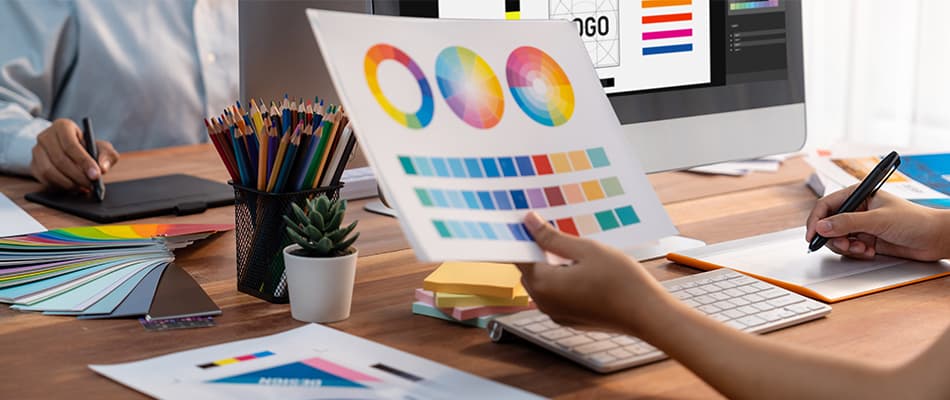
Graphic design means creating visual content to communicate ideas and messages.
It is an intersection of text, images, and layouts. You can design logos, websites, advertisements, and social media posts with proper knowledge of graphic design.
For a graphic designer, it is important to recognise how businesses communicate with their audiences and build their brands through visually appealing and engaging designs.
Designers use tools like Adobe Creative Suite to bring their ideas to life while balancing creativity and purpose.
In this article, we will explore the concept of graphic design, its key components, tools and technologies, its usage, and importance.
What is Graphic Design?
Graphic design is about using visuals to share ideas in a way that people can quickly understand and connect with.
It brings together images, colours, text, and layout to create designs we see every day in logos, adverts, social media posts, posters, and websites.
Graphic design is important in helping businesses, schools, and organisations communicate clearly with diverse audiences. It is not only about creativity or making things look nice, but also about choosing the right visual elements so a message is easy to read, memorable, and meaningful.
Read: Top 10 Graphic Design Trends for 2026 You Shouldn’t Miss
What is a Graphic Design Life Cycle?
The graphic design lifecycle helps designers move from an idea to the finished project. The stages in between ensure that the design meets the needs of the client and audience.
Here are the main stages of the graphic design lifecycle in simple terms:
- Project Briefing: Learn the client’s needs and goals, and understand the audience, to create a clear plan.
- Research and Discovery: Find inspiration, check what competitors are doing, and study market trends to shape your design ideas.
- Concept Development: Create simple sketches and mock-ups to try new ideas.
- Design Creation: Turn approved ideas into complete, detailed designs using tools like Adobe Creative Suite.
- Client Feedback: Show the design to the client, get their feedback, and make changes accordingly.
- Revisions and Edits: Make changes to improve the design until it meets the client’s needs.
- Final Approval: The client’s final approval is essential to finalise the design and use it.
- Delivery and Implementation: Send the final design to the client and help them use or publish it if needed.
What Are the Different Types of Graphic Design?
Graphic design includes various types, each serving a unique purpose. Let’s understand its different types and how they contribute to communication, marketing, and user experience.
Below are the main types of graphic design that everyone should be familiar with while learning graphic design:
- Visual Identity Design:Creates logos, colour palettes, and brand guidelines for a distinct visual identity. It helps to build recognition and connect with the audience.
- Marketing and Advertising Design: Creates promotional materials like social media ads, brochures, and banners. Its key motive is to drive engagement.
- User Interface (UI) Design: Creates visually appealing and user-friendly digital experiences for websites, apps, and software. The focus is on layouts, buttons, and navigation.
- Publication Design:Designs books, magazines, newspapers, and digital publications. The key task is to arrange text and visuals to improve readability.
- Packaging Design: Creates functional yet attractive designs for product packaging because it influences buying decisions.
- Motion Graphic Design: Designs animated visuals for videos, advertisements, and social media. Adding movement to the design makes it more dynamic and engaging.
- Typography Design: Creates and arranges fonts to improve readability and style. It is used in branding, editorial design, and digital content.
- Illustration and Art Design: This includes custom artwork, drawings, and visual storytelling. It is used in books, branding, and digital media.
Also Read: Where To Study Graphic Design In South Africa?
What are the Elements of Graphic Design?
To make good and eye-catching designs, it’s important to know the key components of graphic design.
Components are the building blocks of great design that help to share the message clearly. When used correctly, these elements help designers create visuals that grab attention and communicate information.
Here are the main components of graphic design to see how they help create great visuals:
- Line: A line connects points, creates shapes, or guides the viewer’s eye.
- Shape: Shapes add interest and help organise information in a design.
- Colour: Colour sets the mood and makes a design more attractive and engaging.
- Texture: Texture adds depth and makes designs feel real and interesting.
- Typography: The style of text used to make words clear and appealing.
- Space: Space separates elements, making the design look clean and organised.
- Balance: Arranges elements to look stable and visually pleasing.
- Contrast: Contrast highlights important parts and makes the design stand out.
What Does a Graphic Designer Do?
Graphic designers bring ideas to life through visual storytelling.
Besides creating visuals, a graphic designer also uses strategic thinking, creativity, and technical skills in their job role.
The following are the major responsibilities of graphic designers:
- They brainstorm and sketch concepts that align with brand identity and project goals.
- They design everything from logos to social media posts to create layouts that are visually appealing, well-structured, and easy to understand.
- Designers work with tools like Adobe Photoshop, Illustrator, and InDesign to create and edit graphics for digital and print media.
- They communicate with clients, marketers, and developers to understand project requirements and create the final design that meets their expectations.
- Designers follow brand guidelines to ensure that colours, fonts, and styles remain uniform across all marketing materials.
- They need to choose the right design elements for creating visuals that attract attention and convey the intended message.
- Before finalising a project, designers review their work, collect feedback, and make necessary changes to improve the quality.
Tools & Technologies in Graphic Design
Graphic design has evolved significantly with digital tools and technology, making it easier and faster to create eye-catching visuals. Learning these tools is essential for anyone who wants to work in graphic design.
Here are a few of the main tools and technologies used in graphic design:
- Canva has many templates, fonts, and images. You can use it to make social media posts, business cards, and more, whether you are a beginner or a pro.
- ChatGPT is an AI tool that helps designers by giving creative ideas, design tips, and text for graphics.
- Lumen5 turns text into videos. It’s perfect for designers who create video content for marketing or education.
- DALL·E is an AI tool that creates images from text descriptions. It helps designers quickly generate ideas and create visual content.
Turn Design Curiosity Into a Real Skill
Learn UI/UX principles and visual design, enhanced with generative AI tools.
Explore ProgrammeWhy is Graphic Design important?
Graphic design isn’t just about making things look nice; it’s essential for communicating ideas and creating a solid brand image.
Good graphic design helps businesses connect with their audience, build trust, and stand out. It blends creativity with strategy to share messages.
Here’s why graphic design is important:
- Creates a strong brand identity
- Communicates the messages clearly
- Builds trust with the clients and audience
- Grabs attention and attracts users
- Supports marketing
- Improves user experience
- Leaves a lasting impression on the audience
Read More: Graphic Design Interview Tips | How to Stand Out and Impress Employers
What is Graphic Design used for?
Graphic design has many uses. It is essential for businesses, personal projects, and learning materials. You can see it everywhere, like on websites and product packaging. It changes how we see and understand information.
Here are the main ways in which graphic design is used:
- Marketing and Advertising
- Branding
- Web Design
- Social Media Content
- Product Packaging
- Print Media
- Educational Materials
Applications of Graphic Design in Various Industries
In many fields, graphic design helps create visuals, communicate messages, and build brand identity. Whether in advertising, education, or other sectors, graphic design plays a big part in how businesses connect with their audiences.
Here are the top applications of graphic design in different industries:
- Graphic design is used while making ads, brochures, and online banners that promote products and services. It attracts people, shares clear messages, and makes marketing more effective.
- The entertainment industry uses graphic design for movie posters, music album covers, and promotional content. It sets the tone and builds excitement for new releases.
- Graphic design helps create textbooks, presentations, and learning materials that are easy to understand. Infographics and visual aids make complex topics easier to understand and more engaging for students.
- Websites use graphic design to look attractive and be easy to use. Designers create layouts, buttons, and icons that make navigation simple.
- Graphic design makes product labels and packaging stand out on shelves. It helps share essential product details and makes products look appealing by using colours, shapes, and fonts to create a unique brand look.
Also Read: Difference Between Digital Design and Graphic Design Here!
How to Get Started with Graphic Design?
A relevant course can help you to start your career in graphic design, upskill in it or simply switch from another field to this.
The UI/UX and Graphic Design with GenAI course offered by Digital Regenesys provides practical skills in design basics, user experience, and design tools. In this course, you will gain the benefits of expert-led training, hands-on projects, and a supportive learning environment.
Here are the benefits of joining this course at Digital Regenesys:
- Expert Training – Learn from experienced teachers with simple tips and real-life examples. This makes it easier to understand and use what you learn.
- Hands-On Learning – Work on real projects to gain helpful experience and build a strong portfolio. This helps you get ready for real design jobs.
- Career-Focused Preparation – Develop the main skills you need for a design job. The training helps you prepare for the industry.
- Online Learning Mode – This course offers an online learning mode, which makes it easy to balance learning with other activities.
Next UI/UX Batch Starts Soon
Join 500,000+ alumni building portfolio-ready design skills with AI.
Enrol NowConclusion
Graphic design is about how messages are shared, brands are built, and people are kept interested. It uses creativity and planning to make visuals that grab attention and share ideas.
It is used in many industries, like marketing, education, and web design. Learning about its parts, tools, and uses lets you see why it is so important.
To build practical skills and start your career, check out Digital Regenesys to gain expert-led training and hands-on experience.
Last Updated: 4 February 2026